Your site,
pinned steadily.
tidepin turns every page of your blog or shop into Pinterest pins, a week at a time. You approve them. We post them at a pace your account can handle.
Opening soon
Join the early list
75% off
your first 3 months — Start $8.75, Pro $18.75 a month
50% off
your first year on yearly billing
We'll email you once, the day tidepin opens. Choose a plan within 30 days of that email. Unsubscribe anytime — Privacy Policy.
No sign-up needed for the preview. Nothing is saved or posted.
-
Tue 9:40 AM
Brown Butter Chocolate Chip Cookies
Waiting for approval Approved
-
Wed 1:15 PM
Robot Vacuums for Small Homes
Waiting for approval Approved
-
Thu 7:05 PM
Alpine Lakes Worth the Early Alarm
Waiting for approval Approved

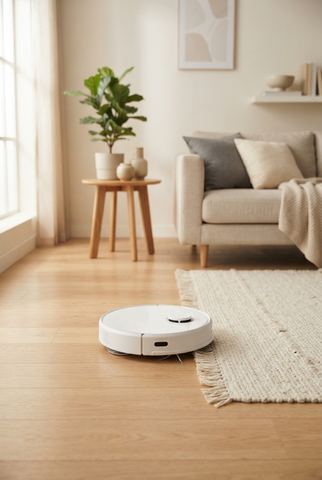

Approved pins go out at natural times, a few a day. The rest wait for you.
- A pin for every pagePosts, products and listings
- Words written for youTitles, descriptions, boards
- Your photos, stock or AIOr text-only pins
- Nothing postsuntil you approve it
Three styles. 46 templates. 42 palettes.
Bold color bands, highlighter type or a quiet magazine cover, in your brand fonts. Pins use your page photos, your uploads, stock photos, or an AI photo when a page has none.
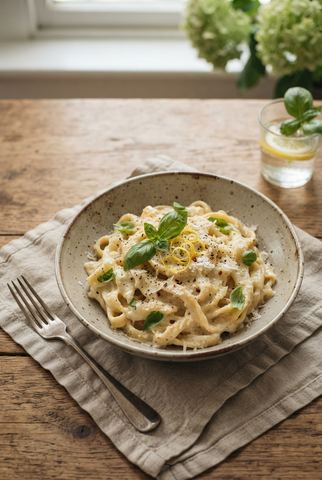



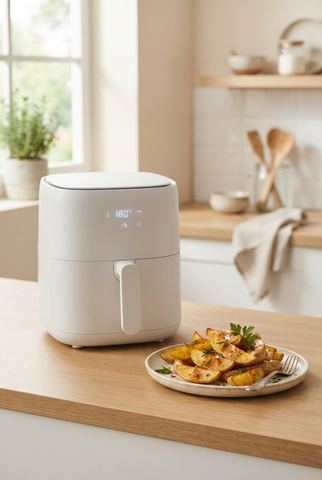

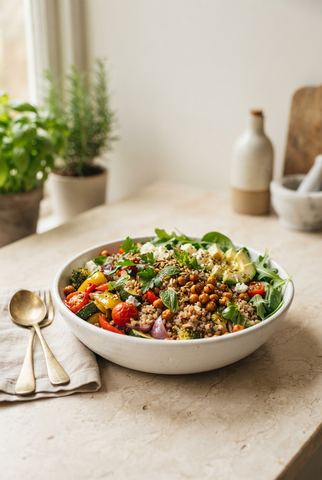

Example pins. Their photos were made with AI, the same way tidepin makes one when a page has no photo.
Pinning every week shouldn't be a second job.
You know your pages belong on Pinterest. Keeping up, week after week, is the hard part.
By hand
- Make each pin in Canva, one page at a time.
- Write a title and description, and pick a board, for every pin.
- Come back next week and do it all again.
- Or hand it to a tool that posts in bulk, and hope your account doesn't get flagged.
With tidepin
- Every page becomes pins, in your colors and fonts.
- Titles, descriptions and boards are written for you.
- Weeks of pins wait for you. Approve a day or a week at a time.
- Pins go out a few a day, at a pace your account can handle — and nothing posts until you approve it.
Made for pages people save
Blogs
Recipes, travel, home, DIY.
Every post gets pins. New posts are found within six hours and join next week's pins.
Shops
Shopify, Etsy or any online store.
Each product becomes pins with its own photos and its own link. No app to install.
No website yet
Just a topic.
Tell us what your pins should be about. We make them, and you can add a link later.
How it works
01 — Read
We go through your whole site.
Point us at your blog, store, Shopify or Etsy shop. We pick the pages worth pinning and skip list and tag pages.
- Checks for new pages every 6 hours
- Pins in each page's own language
- Turn any page on or off, or give it priority
02 — Draw
Pins in your colors.
Each page gets pins from 46 templates in three styles, in the palettes you turn on.
- 42 palettes and your brand fonts
- Page photos, uploads, stock or AI photos
- Upload finished pins of your own, too
03 — Write
Words that sound like your page.
AI writes each pin's title, description and alt text from your page, and picks the board that fits.
- Add keywords and they show up in the text
- If AI is busy, template text keeps things moving
- Bring your own AI model if you prefer
04 — Decide
Nothing posts until you approve it.
Your first 2 weeks of pins arrive as a queue, then one more week at a time. Approve a day or a week, or open any pin to change it. Pins you never approve are never posted.
- Shuffle a pin's look in one click
- Skip a pin, or every pin for a page
- Change the photo, words, board or time
05 — Post
Slowly, on purpose.
Approved pins go out in your posting hours at natural, varied times. Each new site starts slow and builds up over 3 weeks (on by default), and all your sites share one daily limit.
- Days between pins for the same page
- Warm-up holds its pace if Pinterest turns pins down
- Up to 40 pins a day on Start, 150 on Pro, across all your sites
- Pins Pinterest refuses are marked failed, with the reason
- We warn you when many pins fail to post
- If Pinterest disconnects, posting stops and we tell you
06 — Keep going
Next week, already waiting.
Each week tidepin makes the next week's pins and lets you know when they're ready — they still wait for your approval.
- Fill the gaps when you skip pins
- Seasonal pins for coming holidays
- Turn automatic pins off anytime
What we promise — and what we won't
We promise
- Nothing posts that you didn't approve.
- A daily limit and a warm-up for every new site.
- On Start and Pro, pins waiting for approval download as a CSV anytime.
- You can cancel anytime from Account settings.
We won't promise
Traffic or sales numbers.
What Pinterest does for you depends on your pages, your niche and time. We'd rather show you real pins from your own site than made-up percentages.
After the pins go live
Start and Pro both include all of it — no feature is held back for a bigger plan.
- Analytics
- Impressions, saves and clicks from Pinterest. See which pins are rising, and which templates, colors, boards and posting times do best.
- Keywords
- Get keyword ideas from AI — plus Pinterest's trending searches where available — and add them to your pages, so new pins use them.
- Clean up
- Pick old tidepin pins nobody sees, and we remove them from Pinterest a few a day. Cancel any before it goes.
- Export CSV
- Download pins waiting for approval in Pinterest's Bulk create format and upload them yourself, if you'd rather post by hand.
- Team
- Share a site with up to 5 people. They can review and approve; costs stay on your account.
- AI agents
- Give Claude, Cursor or another AI app an API key. It can read your pins, pages and analytics, skip pins and add keywords — never approve or post.
- Help when you need it
- 22 short guides inside the app, and a support inbox that answers you right there.
Pay when you post
Start free and see your own pins go live before you pay. A plan posts all your pins, on as many websites and Pinterest accounts as you like.
Start and Pro include every feature; they differ in pins a day and AI photos.
Early list: 75% off your first 3 months, or 50% off your first year. Join
Free
See your own pins first.
$0
- 1 website and 1 Pinterest account
- Make, edit and preview your pins
- 5 AI photos — post those AI pins free
- Template pins post with a plan
Start
Every feature, at a steady pace.
$35/month
or $357/year — save 15%
- Up to 40 pins a day across your sites
- 200 AI photos a month
- Unlimited websites and Pinterest accounts
- Every feature, every template
Pro
More pins a day and more AI photos.
$75/month
or $765/year — save 15%
- Up to 150 pins a day across your sites
- 400 AI photos a month
- Everything in Start
- Making and previewing pins is free.
- Full refund within 14 days of your first payment.
- Billed monthly or yearly. Cancel anytime.
Frequently asked questions
Posting safely, pricing and setup. Something else? Email support@tidepin.com.
Will my Pinterest account be safe?
Nothing posts that you didn't approve. Each new site starts slow and builds up over 3 weeks — and holds its pace if Pinterest turns pins down. Pins for the same page stay days apart, and all your sites share one daily limit. Pins Pinterest refuses are marked failed with the reason, we warn you if many start failing, and if Pinterest disconnects, posting stops until you reconnect.
What happens to pins I don't approve?
They're never posted. They stay in tidepin until you approve, edit or skip them.
Can I try it before I pay?
Yes. Add your site, make your pins, connect Pinterest and post the AI pins you make with 5 free AI photos — all free. A plan posts all your pins, with a full refund within 14 days of your first payment.
Can I schedule pins in advance?
Yes. tidepin keeps your pins ready 2 weeks ahead in your posting hours and adds a week each week. Approve a day or a week at a time.
Is there a limit to how many pins post?
Up to 40 pins a day on Start and 150 on Pro, across all your sites, so one busy week never floods your account. New sites warm up to your pace first.
I have hundreds of pages. Does it work?
Yes. tidepin keeps track of every page and its photos, rotates through them so different pages get pins, and avoids repeating the same page too soon.
What if my pages have no images?
Use text-only templates, add your own photos or stock photos, or let tidepin make an AI photo for that page.
I only have a few posts.
That works. Pins are spread out so the same page doesn't show up too often, and you can add new pages anytime.
Do you work with Shopify and Etsy?
Yes. Add your Shopify store or Etsy shop and we read your products, photos and links. No app to install.
YouTube, Medium or other sites?
Yes — add them as a Third-party platform and paste the links you want pins for.
Can I upload my own pins?
Yes. Upload finished pin images, or a CSV, and tidepin adds them to your schedule for approval.
Does it work in my language?
Pin text follows each page's language by default, or you can choose one.
Can I cancel anytime?
Yes, from Settings. Pins already posted stay on your Pinterest account.
Do you offer refunds?
Yes. If tidepin isn't right for you, email support@tidepin.com within 14 days of your first payment for a full refund — no questions asked. You can cancel anytime before your next payment.
How do I contact you?
Email support@tidepin.com — or, once you've signed up, use Contact support in the app.
Set it up once.
Approve weeks of pins in minutes.
Join the early list for 75% off your first 3 months, or 50% off your first year.
Join the early list